Windows API Examples |
| |
|

Windows API FormMouseDown Values
When you need to distinguish more than three MouseDown event types.
"Shift" will give you distinct values for combinations of keys and mouse buttons.
|
Shift.ToInt() |
Left |
Right |
Wheel |
nokey |
8 |
16 |
32 |
shift |
9 |
17 |
33 |
alt |
10 |
18 |
34 |
shift/alt |
11 |
19 |
35 |
ctrl |
12 |
20 |
36 |
shift/ctrl |
13 |
21 |
37 |
ctrl/alt |
14 |
22 |
38 |
ctrl/alt/shift |
15 |
23 |
39 |
|
The coloring below indicates the number of keys that are pressed simultaneously. More information is available here.
| 1 Mouse Button & 1 Key |
|
| 1 Mouse Buttons & 2 keys |
|
| 1 Mouse Buttons & 3 Keys |
|
|
|
|
Windows API OnKeyDown Virtual Keys
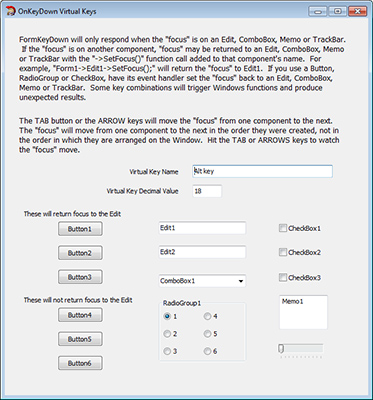
Detecting key presses.
Detect function, arrow, numeric and other keys with a simple event handler.
- Under Form1 Properties, set KeyPreview to true.
- Create the Form1->OnKeyDown event handler.
- In that handler place the instructions for the virtual keys.
- Focus must be set to an Edit, ComboBox, Memo or TrackBar for the event to fire.
- You may have to use ->SetFocus() to return focus to one of those components.
|
|
Windows API Fast Graphics using a TBitmap object
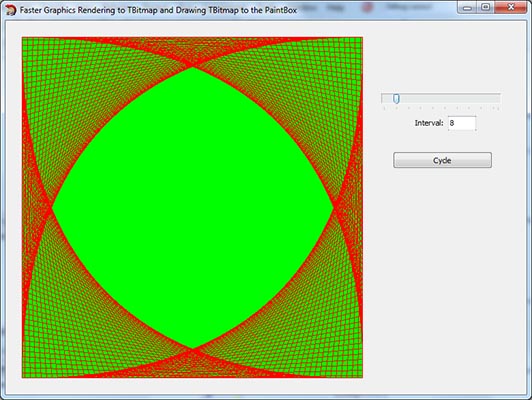
How to speed up your Canvas methods.
Do all your rendering to the Canvas of an internal TBitmap. Then draw your TBitmap to the PaintBox when you've finished.
Be careful not to interrupt TBitmap operations with Application->ProcessMessages(), since doing so will cause an error
in the ntdll.dll dynamic link library.
|
|
Windows API File Save and Open Dialogs
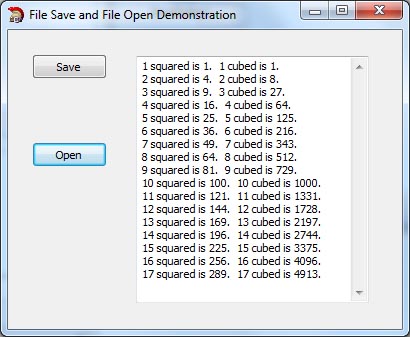
Sample code is included for saving numerical data in .txt files.
Properties
This example is specifically for .txt files, but settings for .bmp files are analogous.
The following settings appear to be appropriate for most purposes.
Default Extension appears to be only valid for Save, and will add ".txt" to whatever file name you specify.
File Name determines which files will appear in the large dialog window.
Filter determins which files will appear in the drop-down box at the bottom of the dialog window.
OfOverwritePrompt appears to be only valid for Save and prompts you if you try to overwrite and existing file.
Title is similar to the "Caption" on the Form. It can be anything you like.

|
| |
Windows API Form, Button, PaintBox and Edit Events
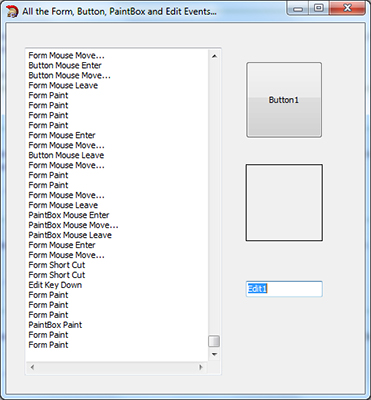
All of the OnXXX event handlers have been added to this project.
When any event is fired, its name will appear in the MEMO component.
Only the first OnMouseMove event will appear in order to keep the Memor from filling up.
|
|
|
|